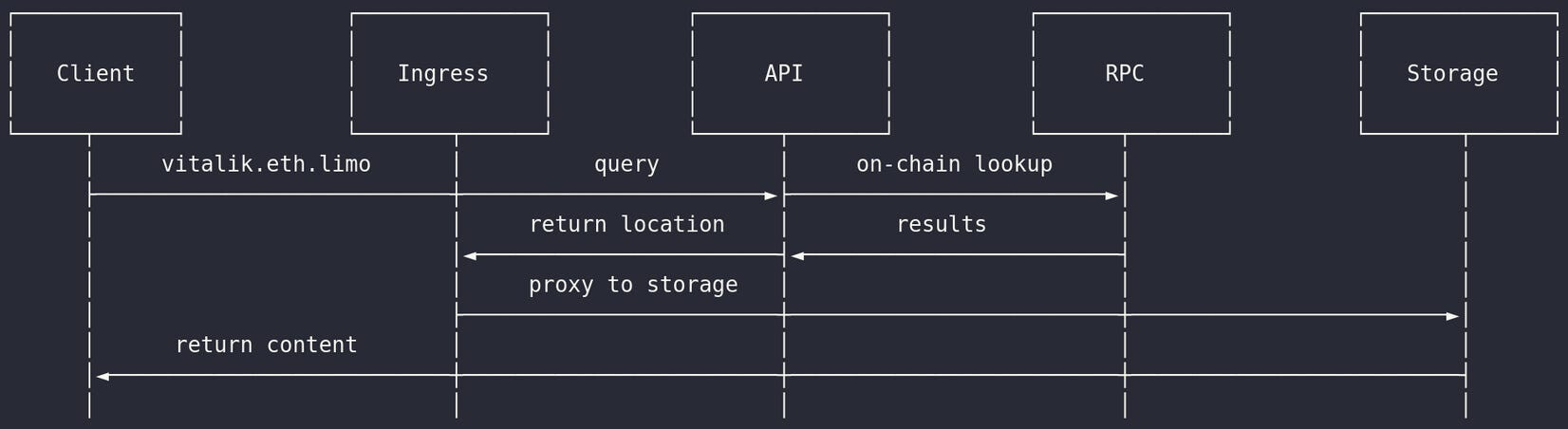
We’ve heard your feedback and we’re happy to announce that we’ve made it easier than ever to run a fully local trustless gateway stack based on the production eth.limo infrastructure.
Q. What is it?
A. We’ve wrapped our ENS resolution API into a complete local gateway stack with docker-compose. This ensures portability between operating systems and provides a consistent user experience with existing tools that most people are familiar with.
Q. What does it do?
A. Instead of relying on trusted external gateways (such as eth.limo/eth.link), you can now deploy and run your own local gateway instance. This means that ENS dWebsites are natively resolvable for all of your installed applications, not just your browser. For example, after running the setup script, to visit ens.eth, simply open a browser or any HTTP client and input https://ens.eth.localhost. That’s it, it’s that easy. Subdomains are also supported out of the box.
Q. What’s inside?
A. We’ve packaged up all of the storage protocols supported by the public eth.limo gateway and their respective retrieval clients into one big bundle, giving you a veritable “swiss army knife” for the decentralized web. Here’s what’s inside:
 The eth.limo dweb-proxy-api for ENS resolution and DNS over HTTPS (DoH) - https://github.com/ethlimo/dweb-proxy-api
IPFS Rainbow - https://github.com/ipfs/rainbow
Wayfinder Router (Arweave/ArNS) - https://github.com/vilenarios/wayfinder-router
Bee (Swarm client) - https://github.com/ethersphere/bee
All of these work together seamlessly to provide local resolution and delivery of ENS dWebsites as well as direct access to each storage protocol client. In practice this consolidates the most commonly used tools and allows you to directly retrieve content by ENS domain, IPFS CID, Arweave TX, or Swarm CID.
Q. How is this different than other existing solutions?
A. Most ENS dWeb clients only support IPFS content, while this implementation offers functional parity with the public eth.limo service. Additionally, this implementation only requires a container runtime (docker/podman), which means that it’s portable across operating systems. You can also customize every part of the deployment, including adding custom HTTP headers on a per-site basis.
To get up and running, please check out: https://github.com/ethlimo/dweb-proxy-api/tree/main/local_gateway