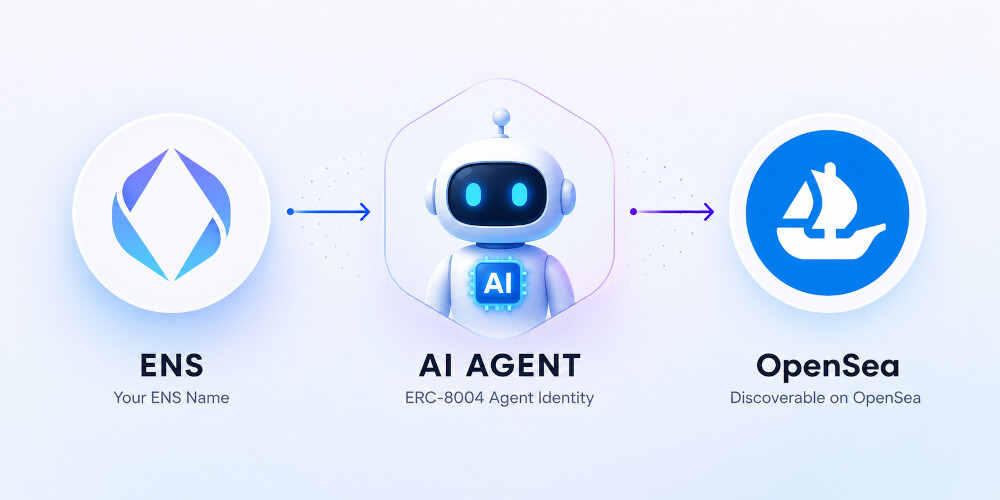
ENS8004.xyz brings together a number of emerging AI and identity standards that Unruggable has developed, making it easy to turn any ENS name into a verifiable AI agent identity.
The application integrates:
- ERC-8004 - Trustless Agents
- Adapter8004 - ERC-8004 Identity Adapter
- ERC-8217 - Agent NFT Identity Bindings
- ENSIP-25 - AI Agent Registry ENS Name Verification
- ENSIP-26 - Agent Text Records
Together, these standards allow an ENS name to become a discoverable, verifiable agent identity that can expose metadata, MCP endpoints, and other AI-related capabilities.
This post walks through the process of registering an ENS name as an AI agent, publishing agent metadata, and connecting an AI application to that agent via MCP.
Originally published on my blog: Turning ENS Names into Discoverable AI Agents
Overview
Step 1: Choose an ENS name
Start by entering an ENS name that you already own, or register a new one.
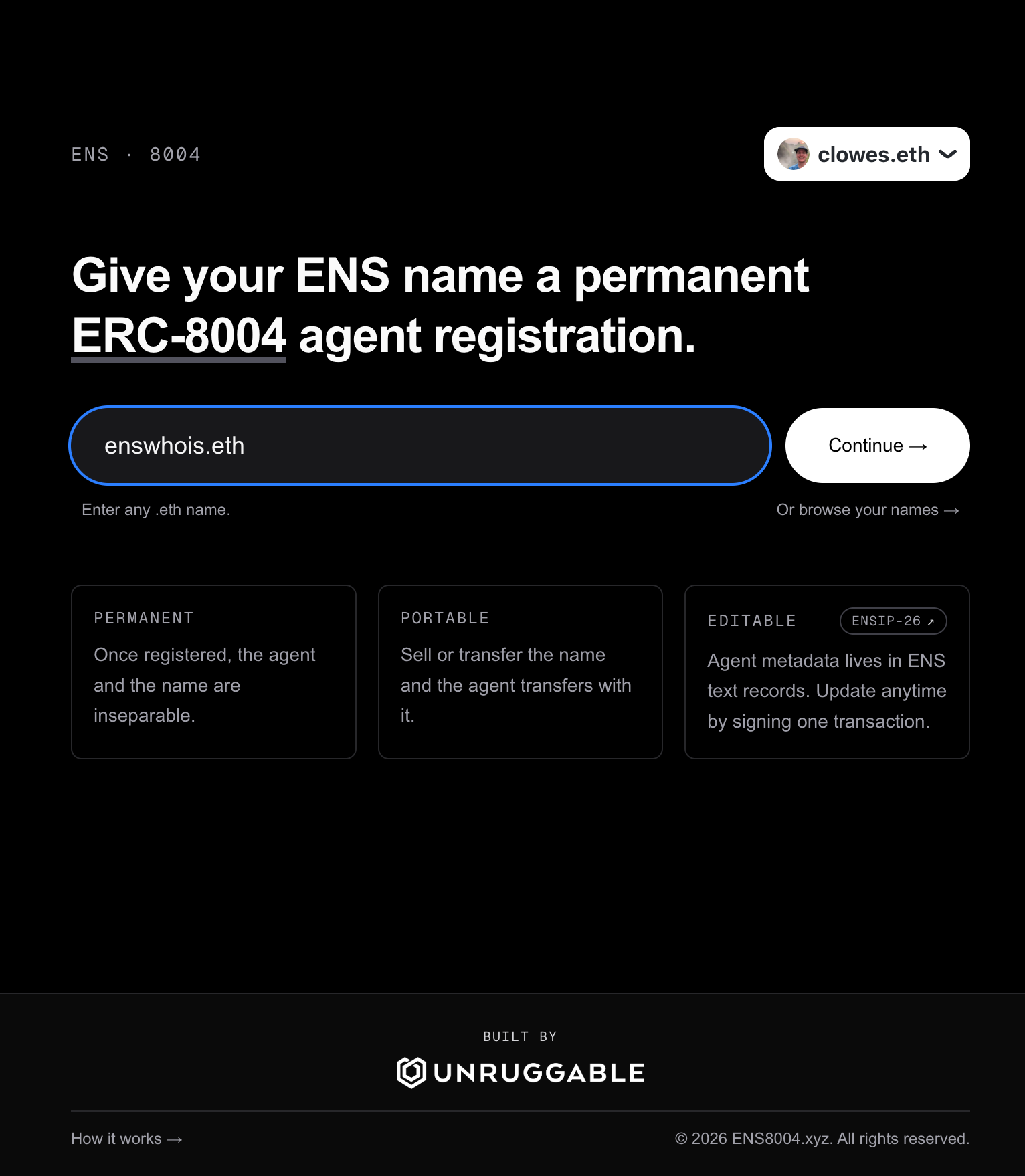
Link: ENS 8004
Alternatively, connect your wallet to view all ENS names currently associated with it.
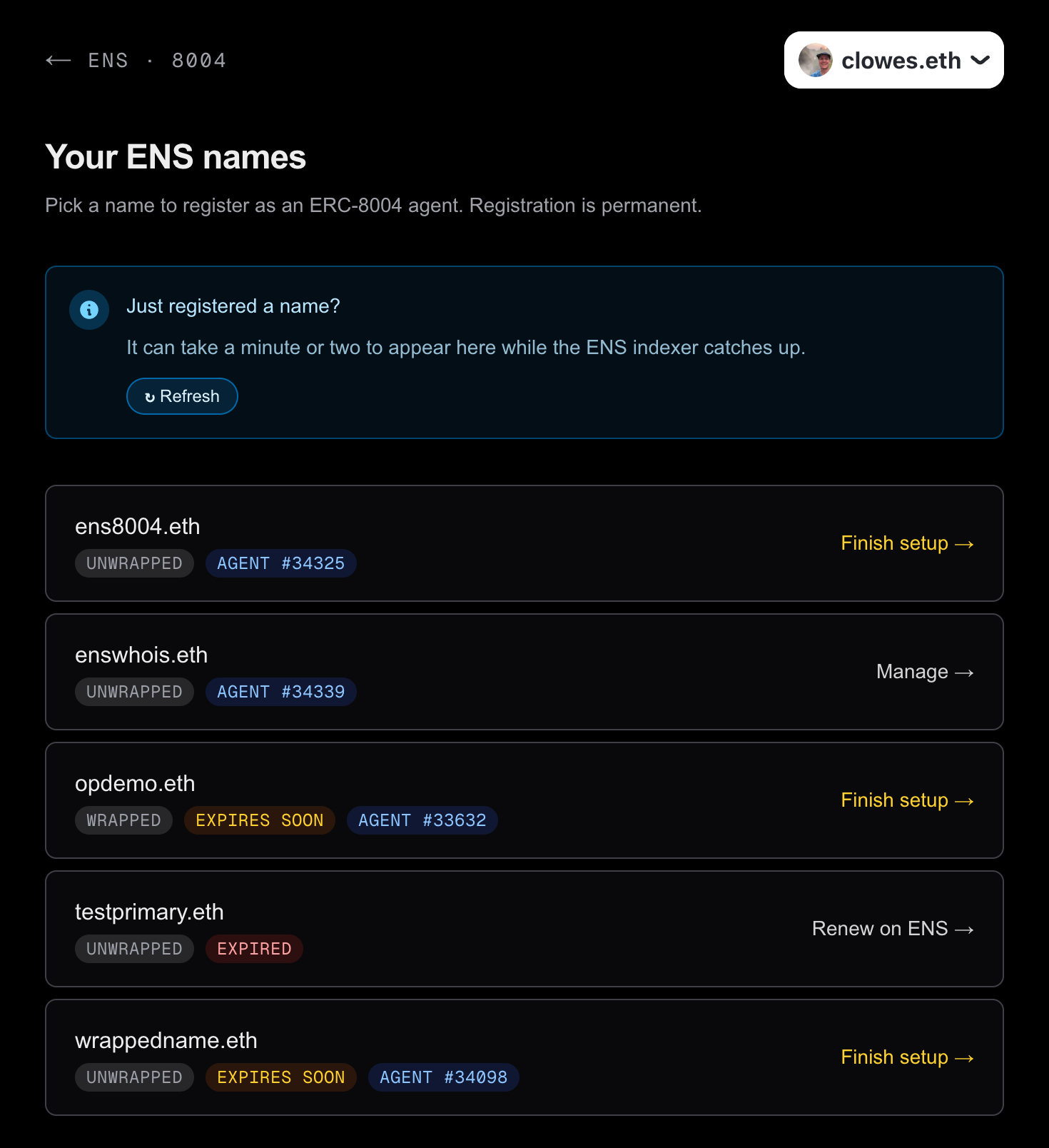
Link: ENS 8004 - Your Names
Note: The ‘Your Names’ view is powered by the ENSWhois.com API.
Step 2: Create an Agent Identity
Next, create an agent identity for your ENS name.
This calls the Adapter8004 register function, which:
- Registers the agent in the ERC-8004 on-chain registry.
- Creates the corresponding binding record defined by ERC-8217.
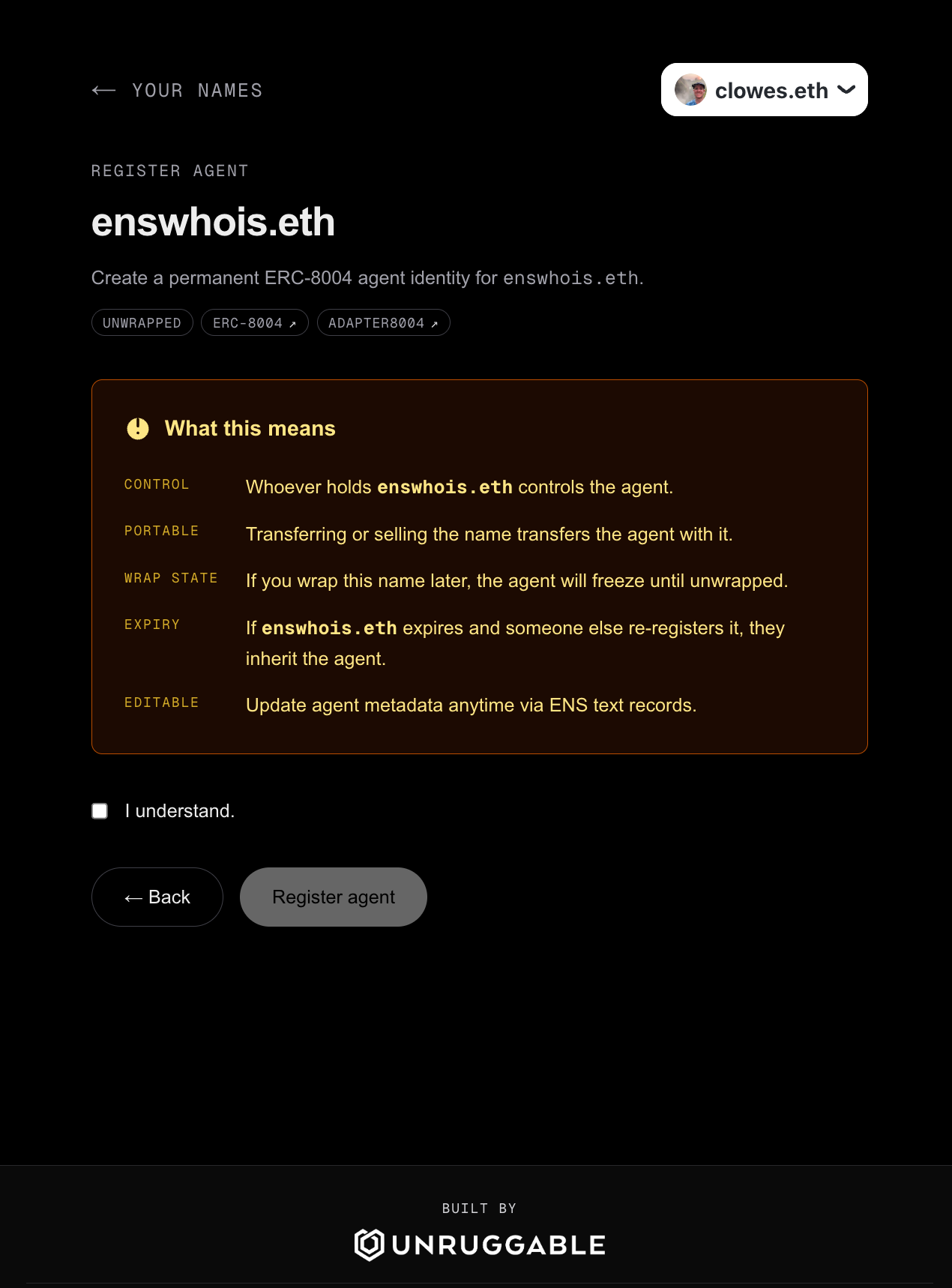
ERC-8217 bindings are now recognised by OpenSea, allowing you to view the agent identity associated with your ENS name directly from the asset page.
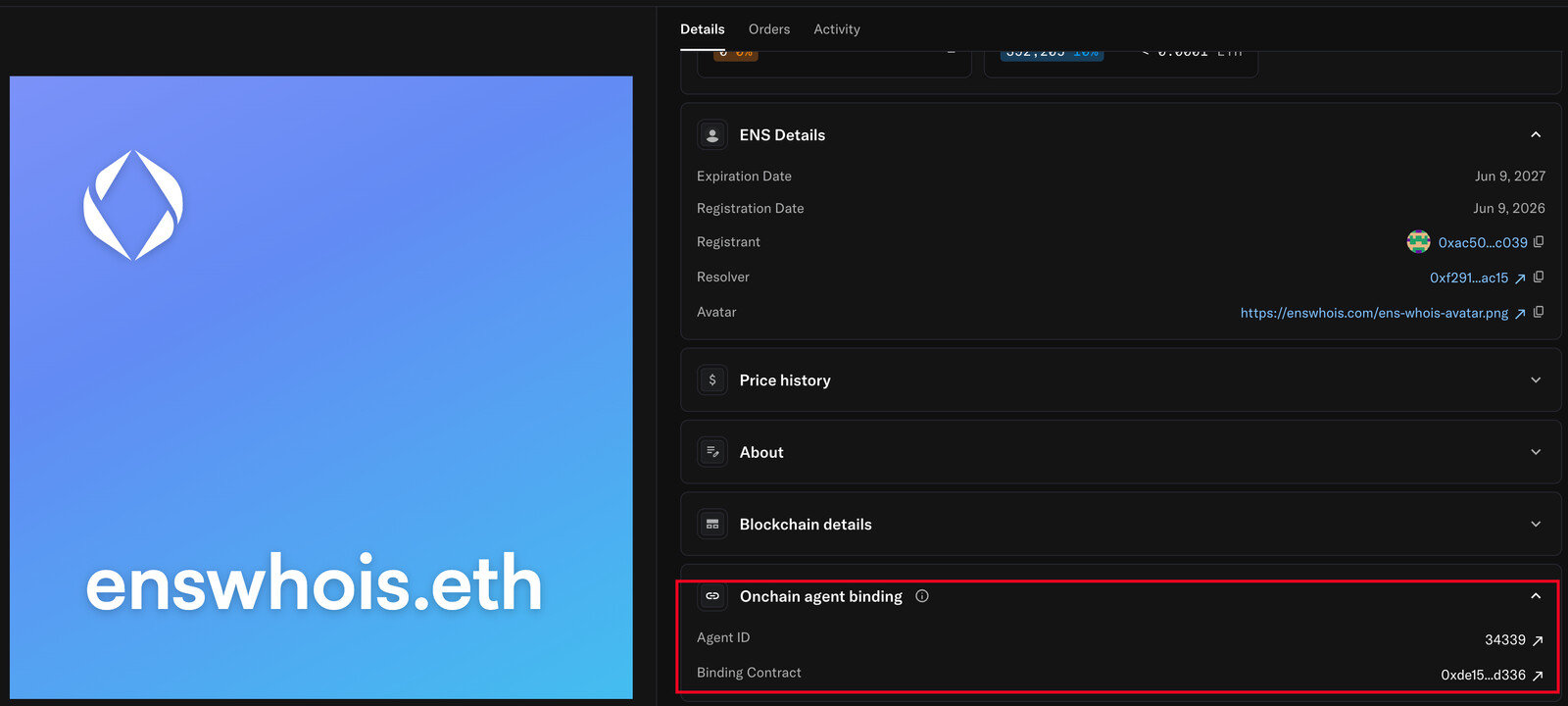
Link: Opensea - ENSWhois.eth
Step 3: Give Your Agent a Personality
The final step is optional, but highly recommended.
You can define agent metadata using ENS text records that conform to ENSIP-26. These records allow you to describe your agent, publish MCP endpoints, expose A2A endpoints, and provide other contextual information.
When this step is completed, ENS8004.xyz also sets the ENSIP-25 registration record, making the agent easily discoverable by compatible applications.
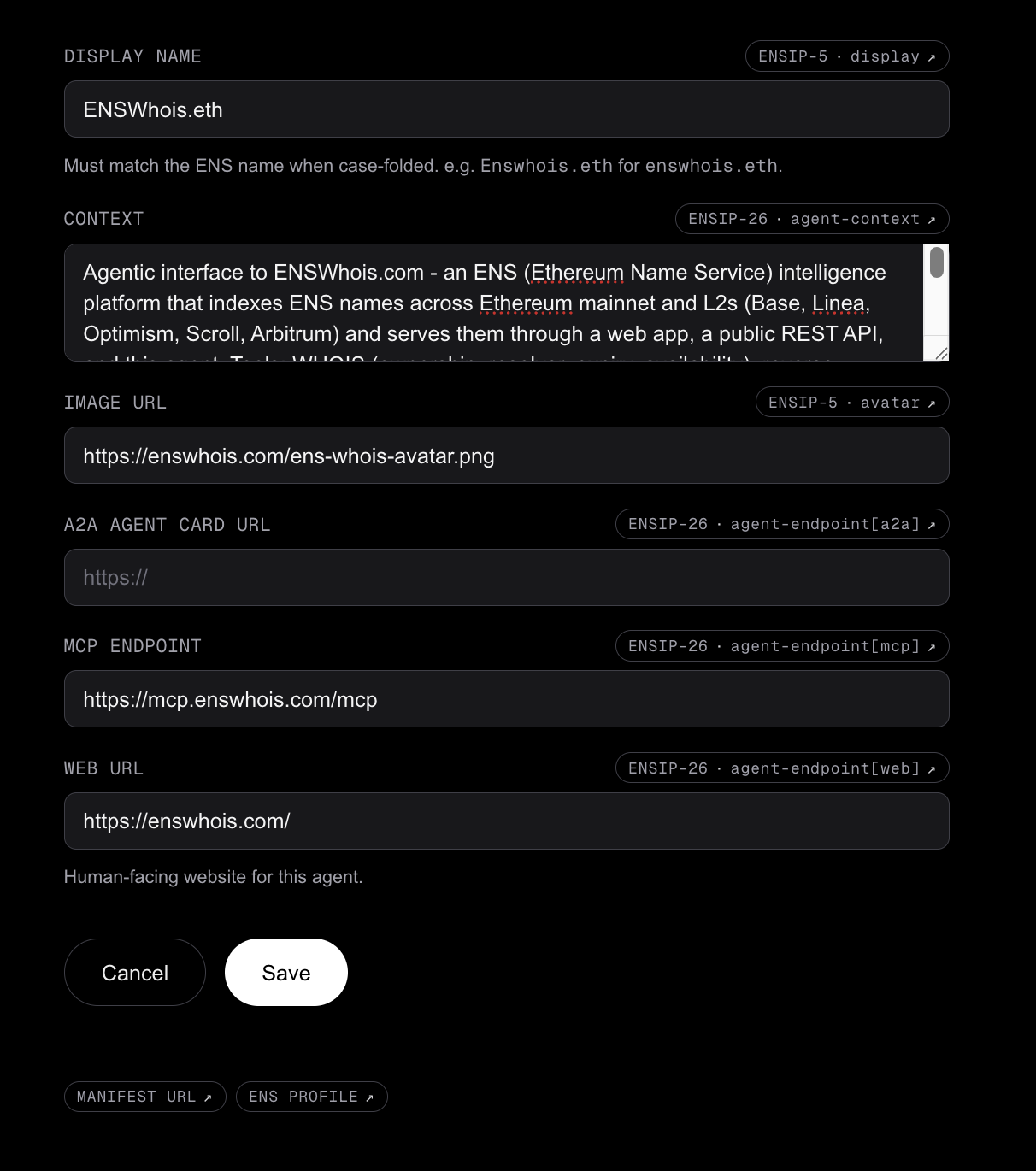
Once configured, these records can be viewed through any ENS-compatible interface.
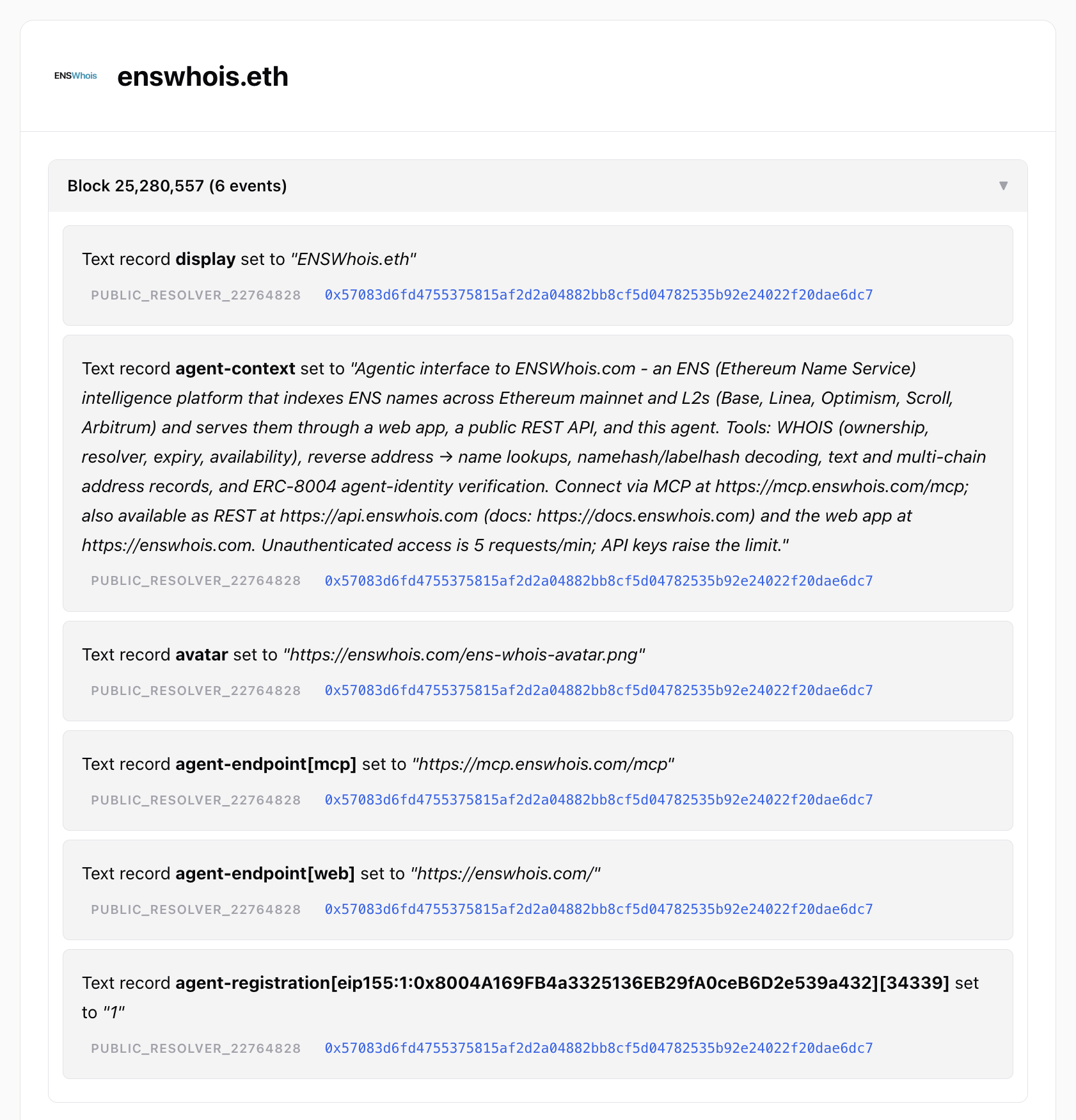
Link: ENS Domain History | Events involving enswhois.eth | ENSWhois.com
Usage
The examples above show how enswhois.eth was configured as the agent identity for the ENSWhois data platform.
Once registered through ERC-8004 and enriched with ENSIP-25 and ENSIP-26 records, the ENS name becomes a machine-readable identity that can advertise how AI systems should interact with it.
In the case of ENSWhois, the name publishes metadata describing an MCP server that provides access to ENS data across Ethereum mainnet and multiple Layer 2 networks.
Connecting to ENSWhois
ENSWhois exposes an MCP endpoint at:
https://mcp.enswhois.com/mcp
You can connect to it from Claude Code using:
claude mcp add --transport http enswhois https://mcp.enswhois.com/mcp
Alternatively, MCP servers can be configured through the Claude application’s Customize section.
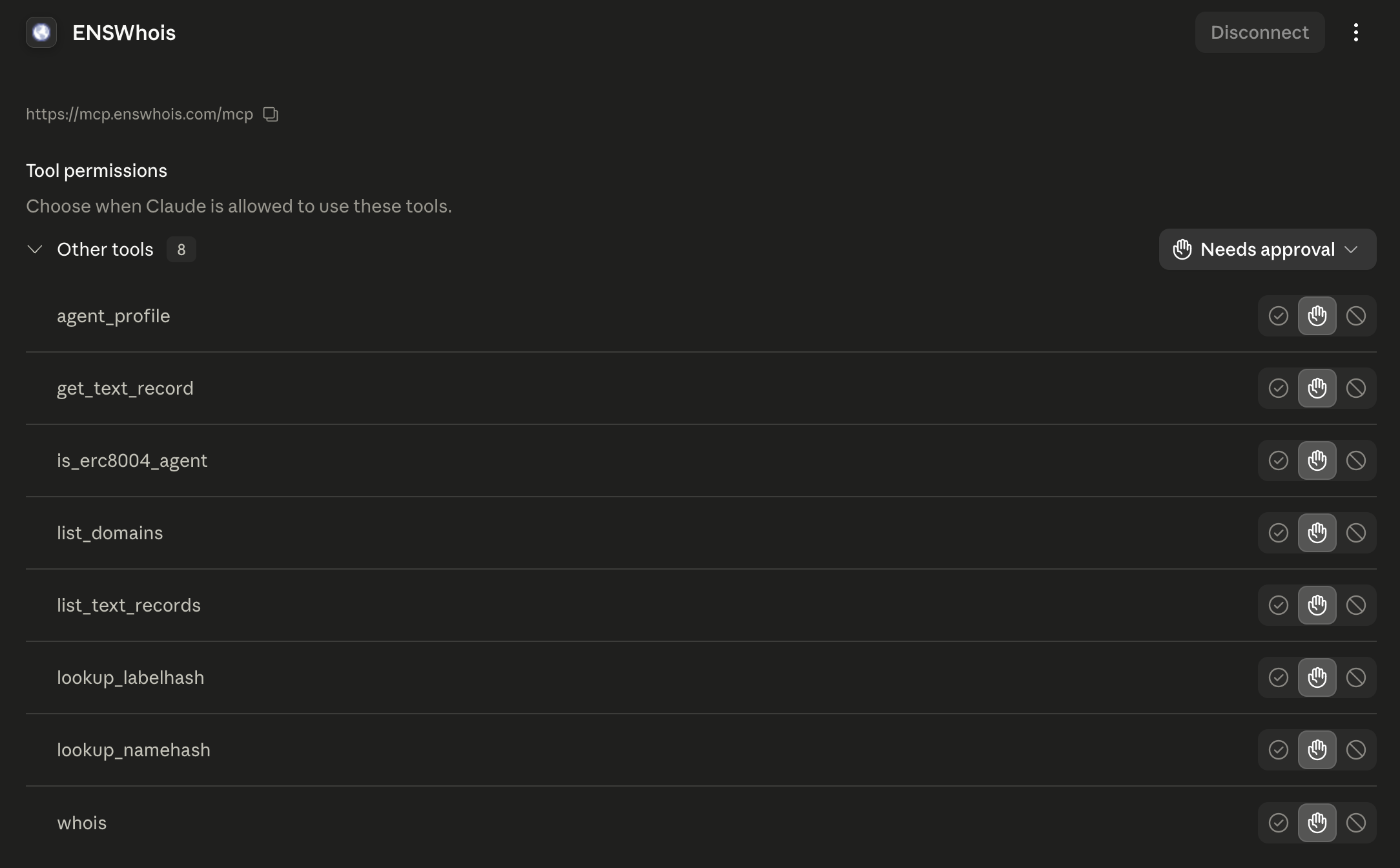
Available Tools
The ENSWhois MCP server exposes eight tools for querying ENS data across Ethereum mainnet and major Layer 2 networks, including Base, Optimism, Arbitrum, Scroll, and Linea.
| Tool | What it does |
|---|---|
| whois | Full ENS lookup: ownership, resolver, expiry, wrapper status, and availability. |
| list_domains | Lists all ENS names associated with an Ethereum address. Can be filtered by effective owner, registry owner, registrar owner, wrapper owner, or resolver. |
| list_text_records | Returns all current resolver records for a name, including text records, address records, and contenthash. |
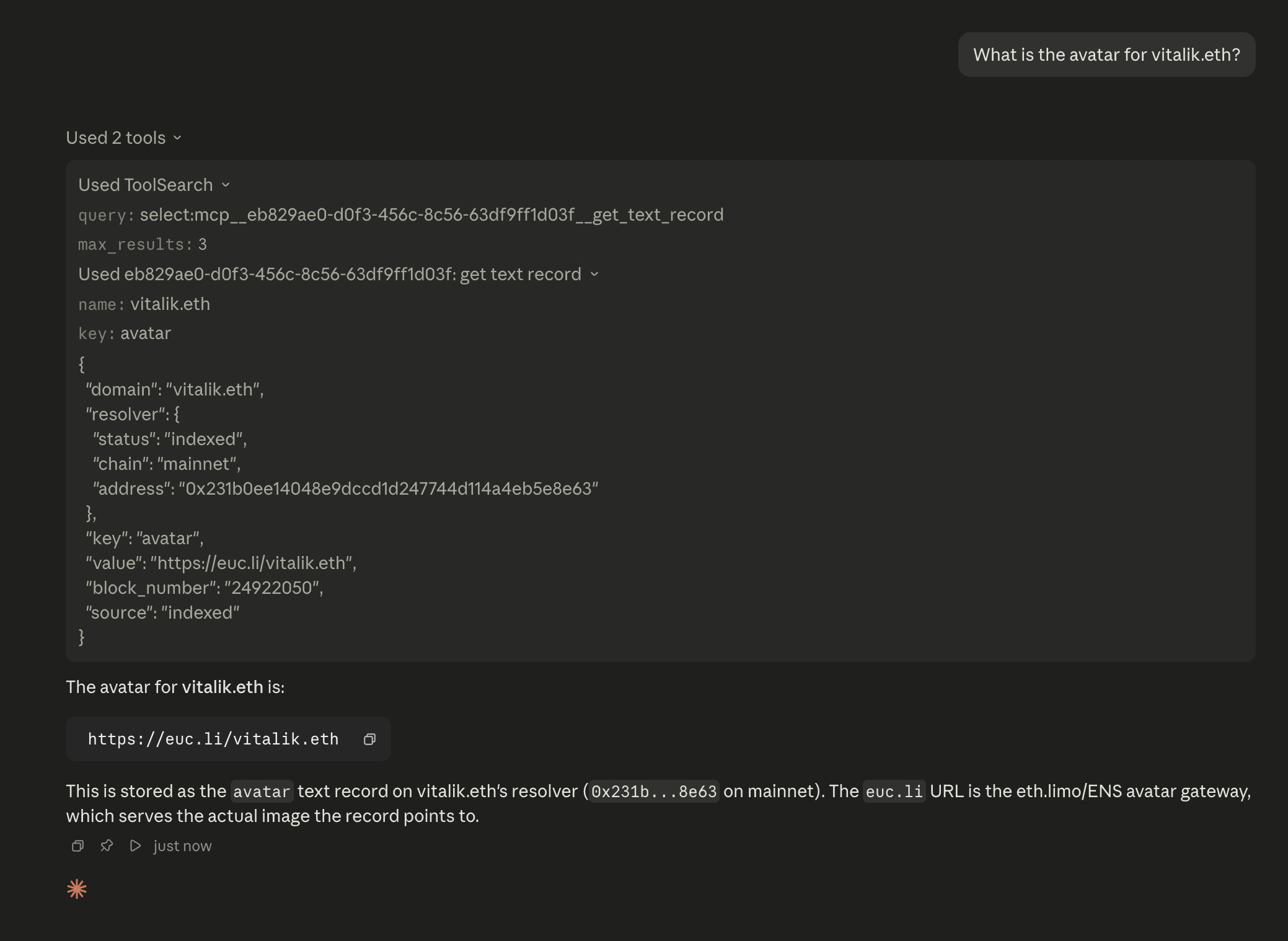
| get_text_record | Retrieves a specific text record, such as avatar, url, email, or com.twitter. |
| lookup_namehash | Resolves a namehash back to the ENS name it represents. |
| lookup_labelhash | Finds ENS names matching a labelhash. Multiple results may be returned. |
| is_erc8004_agent | Checks whether a name is registered as an ERC-8004 trustless agent and verifies the binding on-chain. |
| agent_profile | Returns the full ENSIP-26 agent profile, including metadata, MCP endpoints, A2A endpoints, web endpoints, and ERC-8004 status. |
Example Queries
Once connected, you can ask natural-language questions such as:
- Who owns nick.eth and when does it expire?
- What ENS names does 0xd8dA…6045 own?
- Show me all records associated with vitalik.eth.
- What is the avatar for vitalik.eth?
- Is enswhois.eth registered as an AI agent?
- How do I connect to the services exposed by enswhois.eth?
- What ENS name corresponds to this namehash?
- What ENS names match this labelhash?
The MCP server automatically maps these requests onto the appropriate ENSWhois tools and returns structured ENS data to the AI application.
This demonstrates the broader vision behind ENS8004.xyz: an ENS name is no longer just a human-readable identifier. It can also act as a discoverable AI agent identity that advertises metadata, capabilities, and machine-readable endpoints to other agents and applications.
Happy to answer any questions.
